Top 7 Best AI Image Generators of 2025: Free vs Paid Tools Compared
Best AI image generators 2025 :AI image generators are rapidly transforming the creative landscape in 2025. With enhanced realism, consistent character design, vector exports, and powerful inpainting tools, choosing the right AI tool depends on your specific needs—whether it’s hyper-realistic imagery, professional logo creation, or advanced customization.
In this article, we review the 7 best AI image generators of 2025, comparing their features, pricing, strengths, and downsides. You’ll discover which are ideal for:
- Photo-realistic or cinematic art
- Creating consistent AI characters
- Text-in-image/logo generation
- Vector exports for professional use
- Full workflow control with open-source models
Let’s explore each platform and find the best fit for you.
1. FreePick AI – All-in-One Platform for Beginners and Creators
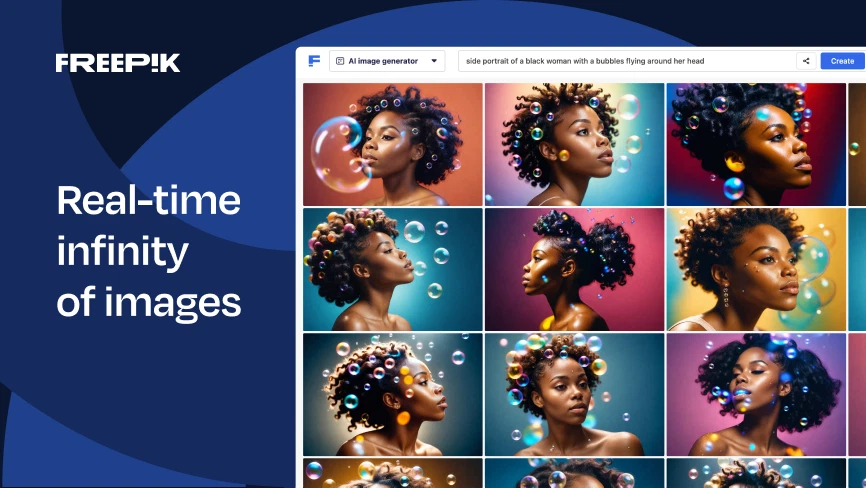
FreePick AI offers a multi-purpose platform that covers image, video, and audio generation. It’s great for beginners who want to explore multiple models under one roof.
Key Features:
- 20 free credits on the free plan
- Supports Google Imagen 3, Flux, and more
- Advanced lighting, tone, and effect controls
- Upscaling and prompt editing
Pros:
- Wide model selection in one dashboard
- Efficient credit usage per generation
- Image, video, and upscaling options available
Cons:
- UI can feel cluttered due to its stock content integration
✅ Best for: Beginners and casual creators who want flexibility in a single subscription.
2. MidJourney – Industry-Leading Realism & Art Style Recognition
MidJourney has built a reputation for delivering incredibly realistic, film-like visuals and unmatched style recognition.
Key Features:
- Highly accurate art style reproduction (120+ styles)
- Powerful prompt interpretation
- Aesthetic, variety, and weirdness sliders
Pros:
- Unmatched visual fidelity
- Great for cinematic and artistic outputs
- Supports complex prompt enhancement
Cons:
- No free plan
- Yearly subscription required for full access
✅ Best for: Artists, filmmakers, and professionals needing cinematic AI renders.
Also check: File Converter or Image Converter
3. Ideogram AI – AI Text in Image & Logo Specialist
Ideogram excels at placing text within AI-generated images, making it ideal for branding, memes, and visual storytelling.
Key Features:
- Generate up to 40 images/week for free
- Canvas editor for combining and manipulating images
- Magic Prompt option for easier prompt enhancement
Pros:
- Strong logo/text-in-image support
- Infinite canvas for organization and creation
- Great free-tier capacity
Cons:
- Best models locked behind subscription
- 1.0 model lags behind in quality
✅ Best for: Logo designers, social media creators, and brand managers.
4. Leonardo AI – Prompt Power Meets Visual Precision
Leonardo AI is a solid performer in both artistic flexibility and model quality. With daily free tokens and intuitive settings, it’s great for those looking to balance creative control and ease of use.
Key Features:
- 15 free daily tokens
- Models like Flux Schnell, Dev, and XL
- FlowState: style-based image generation from input files
Pros:
- Daily free access to quality generations
- Unique features like FlowState for control over lighting, shot, and theme
- Easy navigation and customization
Cons:
- Larger resolution restricted to paid plans
- Fixed generation batch in free mode
✅ Best for: Creators needing theme consistency with moderate generation frequency.
5. Stable Diffusion + ComfyUI – Total Control for Power Users
If you’re technically inclined, Stable Diffusion with ComfyUI gives you maximum customization through node-based workflows.
Key Features:
- Free to use on local systems
- Integrates SD 3.5, Flux, Janus Pro models
- Supports image, video, and audio generations
- Highly customizable workflows
Pros:
- 100% free and open-source
- Ideal for artists, developers, and researchers
- Cloud setups available (RunDiffusion, etc.)
Cons:
- Steep learning curve
- Requires GPU or cloud-based access
✅ Best for: Advanced users seeking full creative and workflow control.
Also Read: https: Top 5 Best Gaming Monitors under Rupees 10000 In India.(2025)
6. Recraft AI – Best AI Vector Art Generator for Designers
Recraft is the go-to platform for generating editable vector files, logos, mockups, and scalable illustrations. Perfect for both non-designers and pros.
Key Features:
- 50 daily credits (approx. 25 images)
- SVG export with editable layers
- Color palette control and Modify Area for object edits
Pros:
- True vector output in SVG format
- Modify specific areas for iterative design
- Full color editing and brand palette integration
Cons:
- Limited access to advanced models (no Flux support)
✅ Best for: Logo designers, illustrators, and businesses looking for branding visuals.
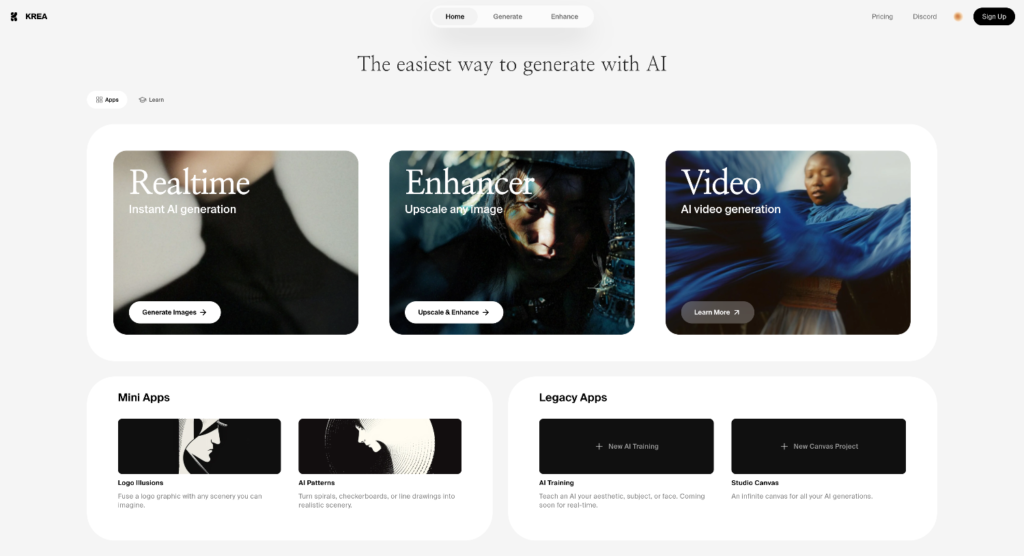
7. Krea AI – The All-Round Champion with Real-Time Editing
Krea AI tops the list as a complete package for image, video, and character consistency generation. With innovative tools and session-based project organization, it’s a favorite for creative professionals.
Key Features:
- Daily free image generation
- Access to Flux, Ideogram 2.0, and other top models
- Real-time editing: lighting, filters, cropping, rotation
- Style transfer and consistent character generation
Pros:
- Intuitive UX for organizing sessions (art, film, product, etc.)
- Best-in-class tools for character control, angle editing, and more
- Style transfer with visual sliders
Cons:
- Advanced features require subscription
✅ Best for: Filmmakers, illustrators, and serious creators who want full control and consistency.
Comparison Table: Best AI Image Generators 2025
| Platform | Free Plan Available | Vector Support | Best For | Subscription Starts |
|---|---|---|---|---|
| FreePick AI | ✅ Yes (20 credits) | ❌ No | All-in-one entry tool | €8/month |
| MidJourney | ❌ No | ❌ No | Photorealism and styles | $10/month (yearly) |
| Ideogram | ✅ Yes (40/week) | ✅ Partial | Text-in-image, logos | $8/month |
| Leonardo AI | ✅ Yes (15 tokens/day) | ❌ No | Stylized, cinematic imagery | $12/month |
| Stable Diffusion | ✅ Yes (open-source) | ✅ With setup | Technical control & experimentation | Free |
| Recraft AI | ✅ Yes (50 credits) | ✅ Full | Vector logos, illustrations | $12/month |
| Krea AI | ✅ Yes (daily credits) | ✅ Partial | Best overall features & editing | $10/month |
Final Verdict: Which AI Image Generator Should You Choose?
If you’re just starting out or want everything under one umbrella, go with FreePick AI. Need photorealistic quality? MidJourney remains a solid choice. For branding, text, or logos, Ideogram and Recraft AI shine.
However, if you’re looking for the best overall image generator that blends control, realism, editing, and AI video—Krea AI is the winner in 2025.
Quick Tips for Using AI Image Generators Effectively:
- Use specific, descriptive prompts (camera angle, lighting, setting)
- Experiment with styles and sliders to find your signature look
- Organize your creations into themed sessions or boards
- Use vector export if working with logos or designs